
Status Pages got a lot better

Hi everyone!
Today, we're happy to share two new features in the Status Pages.
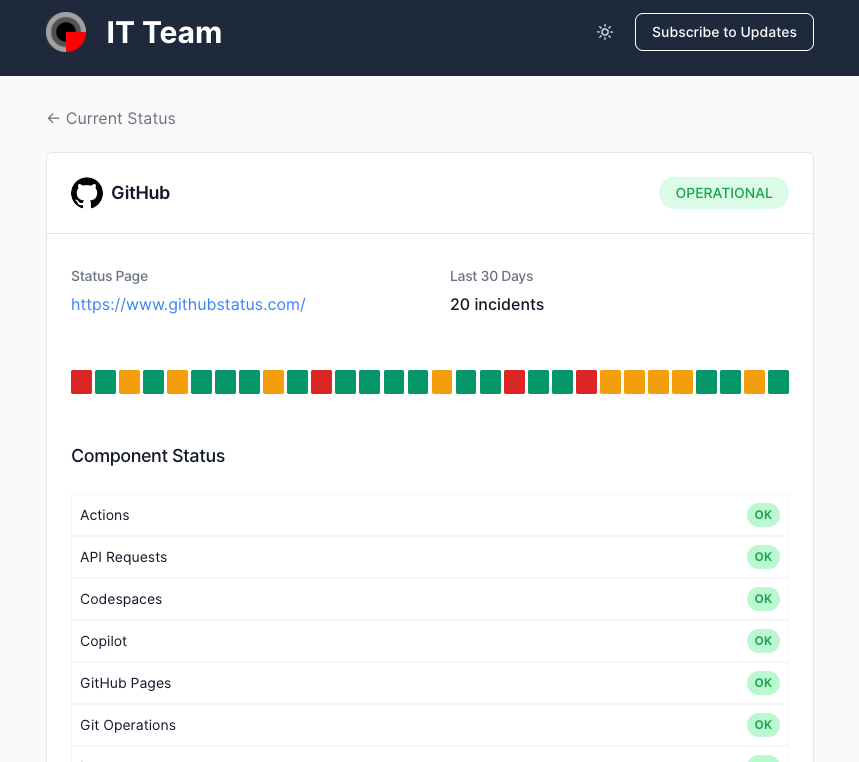
Show the components' status
Now your team and customers can see the current status of each service's components (services and regions) right from your status page.
To enable it, go to the Status Page > Customize Options and check the Show Components box.
If you're only monitoring specific parts of the service, it will only show those parts, not the full list of components.
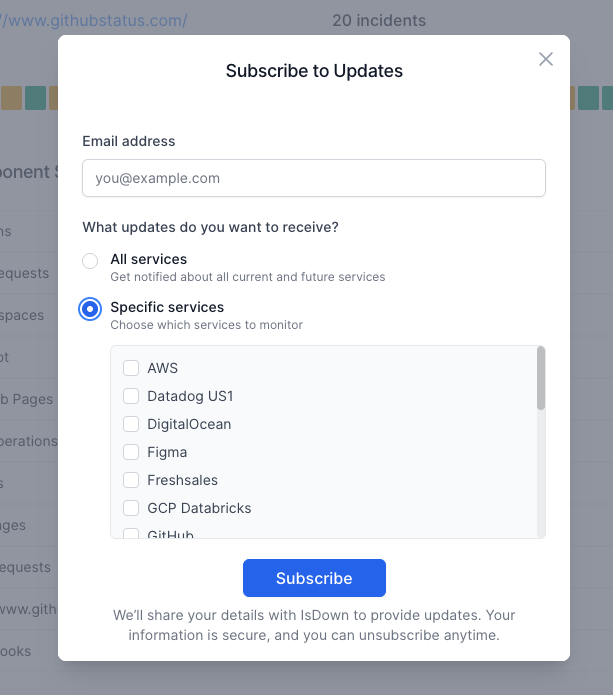
Subscribers can select updates from specific services
Before, subscribers received all notifications in their emails. Now they can select only the services they want to receive updates from.
After they subscribe, they will also have access to a page where they can manage their subscription ( manage the services they want to monitor or unsubscribe )
Thank you, everyone, for the feedback!
If you have more, just let us know!